
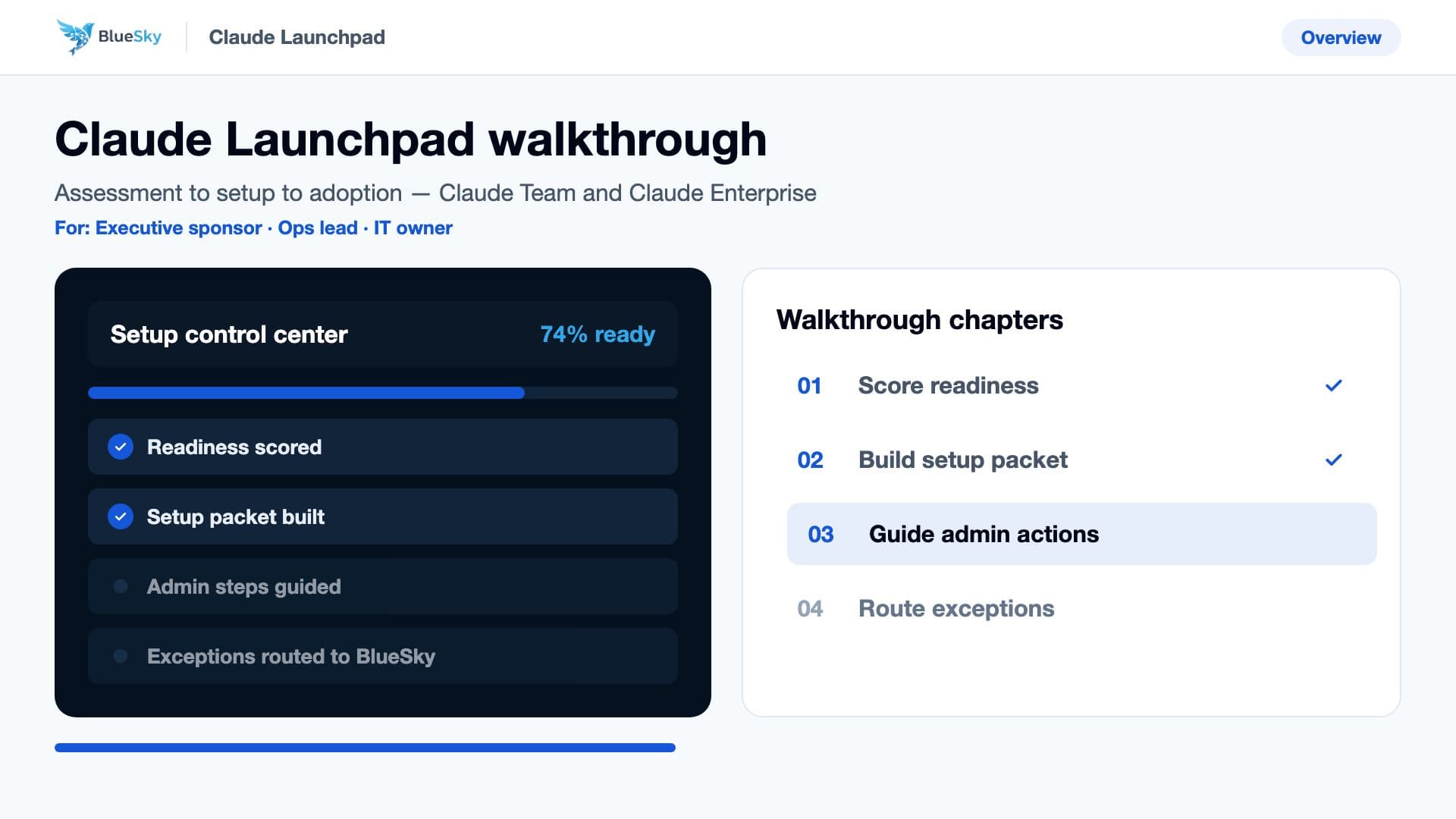
Claude rollout resources and walkthroughs

Production-ready customer content for Claude Enterprise setup, identity, connectors, training, governance, and the BlueSky Agentic OS upgrade funnel.

BlueSky Claude Enterprise Launchpad walkthrough poster
Walkthrough video library

Customers can watch, follow, and validate setup without waiting on BlueSky.

Each video maps to a guided Launchpad checklist with admin destinations, copy-ready values, screenshots to capture, validation checks, and exception triggers.

Claude Enterprise Launchpad walkthrough

Executive sponsor, IT owner, AI program lead

Preview clip00:16

Shows the full package from assessment through setup, training, exception routing, and expansion discovery.

Score readiness
Build setup packet
Guide admin actions
Route exceptions

Enterprise identity setup: Entra SSO, SCIM, and break-glass access

Microsoft 365 admin, identity engineer, security reviewer

Preview clip00:16

Shows the guided Entra path for SSO, pilot assignment, provisioning validation, and break-glass safety.

Confirm owner access
Create enterprise app
Assign pilot groups
Validate SCIM sync

Google Workspace and Drive walkthrough

Google Workspace admin, knowledge owner, rollout lead

Preview clip00:16

Shows Google SAML setup and the first controlled Claude connector pilot for enterprise knowledge access.

Create SAML app
Map primary email
Assign pilot users
Pilot Drive access

Connector approval and Agentic OS upgrade

Operations lead, integration owner, BlueSky seller

Preview clip00:16

Shows how connector demand turns into MCP setup, custom connector scoping, and BlueSky Agentic OS pilots.

Classify connector
Review OAuth scopes
Approve write tools
Score workflows
Claude Enterprise admin reference

What your Claude admin console will look like.

Customer-safe replicas of the real Claude Enterprise screens, mapped to the Launchpad setup order: where the admin goes, what they verify, what BlueSky prepares, and what evidence gets captured.

Reference replica - not connected to a live Claude tenant. Sample data is fictional (Acme Corporation).
Open current Claude area
claude.ai/admin-settings/organization
Organization settings

Organization and access

Team overview

acme.com
Allowed email domains
50 (3 available)
Total seats
Manage
47 (0 unassigned)
Total members
View details
1 pending requestReview request

Team name

Logo
Team name
Acme Corporation

Organization instructions

These instructions for Claude apply to every conversation across your org and take priority over users' personal preferences. They're good for compliance rules, data handling, or formatting standards. Changes may take up to 1 hour to take effect.

Refer to the product as "Acme Platform," not "the tool" or "the app"
0/3000

Domains

Verified email domains associated with your organization.

DomainDiscoverableVerification
acme.com
Verified
Add or edit domains
Domain memberships
BlueSky setup guidance

Organization and access

Confirm the Claude organization, owner authority, verified domains, organization instructions, parent-org status, and safe pre-SSO state before changing login behavior.

Reference replicaOrganization and accessReplica refs 01, 04
Owner review
Admin sees in Claude
Team overview with domain, seat, member, and pending-request counts
Team name and logo fields
Organization instructions text area
Domains table with discoverable and verification controls
Launchpad prepares

Collect Primary Owner, backup owner, procurement owner, security reviewer, rollout domain, IdP path, and break-glass access in the setup profile.

Customer admin clicks

Open Organization and access, verify the customer is in the correct Claude organization, confirm Owner or Primary Owner permissions, and review existing domains and organization instructions.

Escalate when

Stop if the customer is not in the Enterprise tenant, cannot identify a Primary Owner, lacks DNS access, or needs Anthropic Sales to resolve parent-organization or merge state.

Setup values and decisions
Primary Owner
Use a customer-owned admin, never a BlueSky mailbox
Backup owner
Name a second customer-controlled break-glass admin
Tenant check
Confirm org name, plan, domains, and parent-org relationship
BlueSky exception rule

Route purchase, tenant merge, or missing-owner problems to BlueSky before any identity enforcement work starts.

Resource library

The operating documents behind the Launchpad package.

These assets are reflected directly in the guided setup workbench, training assignments, policy packet, connector intake, and exception queue.

Checklist

Claude purchase readiness checklist

Executive sponsor plus IT owner

Defines the buying owner, billing contact, security stakeholders, procurement blockers, and post-purchase admin handoff.

Start checklist
Walkthrough

Microsoft Entra SSO and SCIM guide

Identity admin

Covers enterprise app creation, SAML values, claims, group assignment, SCIM validation, rollback, and evidence capture.

Open guide
Walkthrough

Google Workspace SAML and Drive guide

Workspace admin

Covers SAML app setup, attribute mapping, pilot assignment, Google Drive connector risk review, and rollout proof.

Open guide
Walkthrough

Generic SAML/OIDC implementation guide

Security and IdP owner

Covers metadata exchange, OIDC redirect values, required claims, signing requirements, pilot validation, and break-glass admin controls.

Open guide
Template

Connector approval policy

Security plus app owner

Defines connector tiers, OAuth scopes, write-action approvals, human review, approval records, and emergency disablement.

Open policy packet
Upgrade funnel

Agentic OS opportunity worksheet

Operations lead

Scores repeated Claude-assisted work by volume, risk, systems touched, approval needs, and value for BlueSky Agentic OS.

Scope workflow

Deep admin walkthroughs for Microsoft, Google, and SAML/OIDC.

Launchpad does not pretend every Claude admin action has a public API. It makes the human-owned steps exact, trackable, and exception-driven.

Microsoft Entra setup path

Entra admin center

Best for Microsoft 365 customers that want assignment-required access, SAML SSO, SCIM provisioning, and controlled pilot groups.

1Create a Claude Enterprise app and require assignment.
2Paste Claude ACS URL, entity ID, and certificate values from Launchpad.
3Map email, first name, last name, and only required group claims.
4Assign Claude-Admins and Claude-Pilot-Users before department expansion.
5Validate admin login, pilot login, provisioning count, and rollback owner.
Evidence
Metadata screenshot
Successful test login
SCIM user count
Pilot group assignment
Escalate when
Conditional access conflict, metadata rejection, SCIM token failure, or custom claims review.

Google Workspace setup path

Google Admin console

Best for Google Workspace customers that need SAML, group assignment, JIT pilot access, and Google Drive connector readiness.

1Create the Claude Enterprise SAML app.
2Use primary email as Name ID and map first and last name attributes.
3Assign Claude admins and pilot users before enabling broad access.
4Pilot Google Drive read/search with least privilege.
5Capture connector OAuth evidence and security approval.
Evidence
SAML app status
Pilot group assignment
Successful pilot login
Drive connector OAuth test
Escalate when
App assignment policy conflict, connector scope concern, or security review of Drive access.

Generic SAML/OIDC setup path

Customer IdP and Claude admin

Best for Okta, Ping, OneLogin, Azure B2C, or custom identity paths where the customer needs a protocol-driven checklist.

1Select SAML 2.0 or OIDC based on customer standards.
2Exchange ACS, entity ID, issuer, signing certificate, and redirect values.
3Map stable subject, email, first name, and last name claims.
4Keep a break-glass Claude admin until login is proven.
5Validate signed assertion or OIDC token and document rollback ownership.
Evidence
Metadata exchanged
Signed assertion or OIDC token accepted
Pilot login complete
Rollback owner confirmed
Escalate when
Unsupported claims, custom contract review, nonstandard token policy, or IdP-side enforcement blocker.

Role-based Claude training curriculum

Training content is organized so customers can launch a pilot, prove adoption, and identify workflows that should become BlueSky Agentic OS candidates.

Claude foundations for enterprise users

All users

Safe prompting
Source-grounded answers
When not to use Claude
Human review habits
Token and cost efficiency

Admin and governance training

Tenant owners and security

SSO and provisioning evidence
Policy approvals
Connector risk tiers
Usage analytics and spend signals
Exception handling

Department workflow training

Sales, support, operations, finance

Role-specific prompts
Knowledge connector use
Repeat workflow capture
Agentic OS upgrade cues

Connector power-user training

Power users and app owners

OAuth scopes
Read versus write tools
Approval gates
Audit and feedback loops